Wedding QR Code Signs: Photo Sharing, Hashtags & Website Display
Wedding QR code signs make it easy to share photos, open the wedding website, display a wedding hashtag, and guide guests to the right digital action without slowing down the event.
Wedding QR Code Signs: Photo Sharing, Hashtags & Website Display
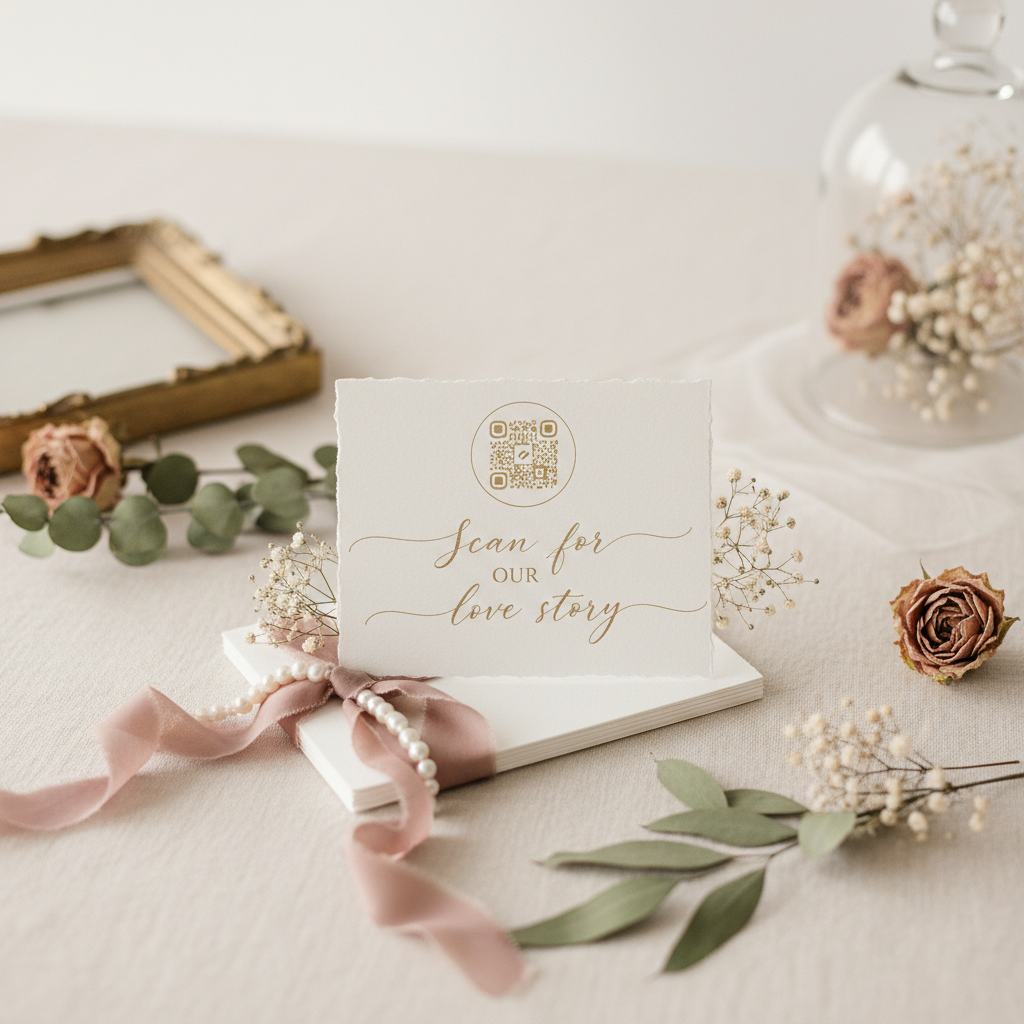
Wedding QR code signs help guests take the right digital action at the right moment. A strong wedding QR code sign can open the wedding website, send guests to a shared photo album, show a wedding hashtag, or point them to the weekend itinerary without forcing anyone to type a long URL into a phone. That makes the sign useful, fast, and surprisingly important once the wedding day actually begins.
This is one of the clearest examples of signage evolving with guest behavior. Couples still need beautiful printed pieces, but guests also expect quick digital access. A wedding QR code sign bridges those two realities. It keeps the room visually polished while giving people a practical tool they will genuinely use.
The trick is keeping the sign simple. A wedding QR code sign should guide one clear action, not become a cluttered tech board full of competing instructions.
Why Wedding QR Code Signs Matter
A wedding QR code sign reduces friction. That is the central value.
Instead of repeating the wedding website URL, explaining where to upload reception photos, or asking guests to remember a hashtag they saw once on an invitation, the sign handles it in seconds.
That matters in a few common places:
- welcome tables
- hotel check-in areas
- photo booth setups
- bars or guest-book displays
- itinerary stations
- reception entrances
Guests already have their phones. The sign gives those phones one clean job.
The Main Types of Wedding QR Code Signs
Wedding Website QR Code Sign
This is the most straightforward version. Guests scan the code and land on the wedding website, where they can see schedules, maps, travel notes, registry links, or RSVP updates.
Best for:
- welcome events
- hotel check-in
- destination weekends
- entry areas with lots of guest questions
Photo Sharing Wedding Sign
This version sends guests to a shared photo album or upload page. It works especially well during cocktail hour and reception when people are actively taking photos.
Best for:
- receptions
- photo booth areas
- after parties
- weddings with strong guest-generated photo goals
Wedding Hashtag Sign
This version may or may not include a QR code. Sometimes the QR code opens an album or social page, while the sign also displays the hashtag clearly.
Best for:
- social weddings
- couples who want public photo discovery
- events with a photo booth or selfie station
Itinerary or Program QR Sign
This version links to a digital weekend itinerary, seating note, or program. It works best when guests need flexible access to schedule details during a multi-event celebration.
Best for:
- destination weddings
- hotel-based weekends
- changing schedules
- couples who want fewer printed inserts
Choose One Main Action
The most common mistake with a wedding QR code sign is trying to make it do too much.
Do not ask one sign to:
- open the website
- upload photos
- explain the hashtag
- show the full timeline
- link to the registry
That creates hesitation. Guests scan faster when the sign gives them one obvious reason to do it.
A better pattern is:
- one QR code
- one clear action
- one short support line
Examples:
- Scan to See the Wedding Weekend Schedule
- Scan to Share Your Photos
- Scan to Open Our Wedding Website
- Scan for Travel Details and Maps
If you want to include a hashtag too, treat it as supporting text, not the main job of the sign.
Wedding QR Code Signs for Different Parts of the Wedding
Welcome Area
In the welcome zone, a wedding QR code sign usually works best when it points to the wedding website or itinerary. Guests are arriving, orienting themselves, and looking for practical information.
Pair it with:
Ceremony
Ceremony QR signs should stay restrained. A digital program or order-of-events link can work well, but the sign should not distract from the ceremony itself.
Good use:
- digital program access
- ceremony note for out-of-town guests
- backup seating or location info
Reception
Reception QR code signs work especially well for photo sharing. Guests already have their phones out, and the sign can direct that behavior in a useful way.
Good use:
- upload your favorite photos
- share your photo booth pictures
- tag the night with our hashtag
Hotel and Destination Weekend
For destination weddings, a wedding QR code sign becomes much more practical. It can help guests open maps, shuttle info, dress code notes, and the full weekend plan.
This is where it overlaps naturally with the wedding website vs itinerary guide.
What Wedding QR Code Signs Should Say
The best wedding QR code sign wording is direct and guest-friendly.
Useful headline structures:
- Scan for the Wedding Website
- Scan to Share Your Photos
- Scan for the Weekend Schedule
- Scan for Travel Details
- Scan to Follow the Celebration
Useful supporting lines:
- Find the itinerary, maps, and guest details
- Upload your favorite photos from the night
- Save our wedding hashtag for your posts
- Keep the full weekend plan on your phone
If you need more wording examples, use the photo sharing sign wording guide before you export the sign.
Wedding Hashtag Signs and QR Code Signs
Many couples treat these as separate ideas, but they usually belong together.
A wedding hashtag sign is strongest when it answers two questions:
- what hashtag should guests use
- what should guests do with it
That means a sign can include:
- the hashtag as the visual headline
- a QR code to the album or photo-sharing page
- a short action line
Example structure:
- Share the Night With
#MeetTheMasons - Scan to upload your favorite photos
This works better than showing the hashtag alone and hoping guests remember it later.
Best Sizes for Wedding QR Code Signs
Most wedding QR code signs work well in:
8x10for bar tops, photo booths, guest book tables11x14for welcome tables and check-in displays16x20when the sign needs to be seen from farther away
The code itself needs space. Do not shrink the QR code so much that guests have to lean in awkwardly. Leave enough margin around it and keep the surrounding design quiet.
A wedding QR code sign needs stronger simplicity than many other signs because the action depends on scan accuracy.
Design Tips That Make Wedding QR Code Signs Work
Keep Contrast High
The QR code needs clean contrast to scan reliably. That usually means dark code on a light background or the reverse if the code remains crisp and testable.
Reduce Decorative Clutter
This is not the place for heavy florals, busy watercolor washes, or dense overlays behind the code. Keep the scan zone clean.
Make the Action Obvious
Guests should know why they are scanning before they pull out their phone. Put the action line above or beside the code, not hidden below it.
Test It at Real Size
Always test the printed version. A wedding QR code sign that works on a screen but fails on cardstock, acrylic, or matte board is not finished.
Where to Put a Wedding QR Code Sign
Placement depends on the action.
For a website or itinerary:
- welcome area
- hotel lobby
- check-in table
- entrance to weekend events
For photo sharing:
- bar area
- guest book station
- photo booth
- near the dance floor exit or after-party table
For hashtag sharing:
- photo booth
- welcome display
- bar menu area if the vibe is social and casual
Avoid burying the sign where guests are rushed or where lighting is poor. A wedding QR code sign should be easy to notice and easy to scan without awkward body positioning.
Common Wedding QR Code Sign Mistakes
Too Much Text
Guests do not want to read an instruction manual. Keep it short.
Too Many Digital Actions
Choose one main goal. Two at most if the hierarchy is very clear.
Unreadable Printing
Fancy backgrounds and low contrast can break the scan.
Poor Placement
If the sign lives in a traffic jam or dim hallway, guests will ignore it.
No Supporting Verbal Cue
Even a good QR code needs a reason. “Scan me” is weaker than “Scan to share your reception photos.”
A Better Way to Use Wedding QR Code Signs
Think about digital tasks as part of the sign suite instead of extra tech scattered around the room.
A strong system could look like this:
- welcome sign for first impression
- wedding itinerary sign for timing
- wedding QR code sign for digital follow-through
- bar menu sign or guest book sign for the next station
That keeps every sign focused. Printed signs handle atmosphere and flow. The QR sign handles the digital handoff.
Should You Use One Wedding QR Code Sign or Several
One is enough if the action is general and visible in a central place.
Several make sense when:
- the weekend spans multiple venues
- the hotel and reception need different actions
- the photo-sharing cue belongs near the dance floor but the itinerary belongs at the welcome table
Even then, keep each wedding QR code sign focused. Do not duplicate the same sign everywhere unless guests truly need it more than once.
Creating a Wedding QR Code Sign That Feels Like Part of the Wedding
The biggest fear couples have is that a QR code sign will look too technical. The solution is not hiding the code. The solution is designing the sign so it matches the suite:
- same font system
- same palette
- same frame or material family
- same tone as your other guest-facing signs
That is how a wedding QR code sign stays useful without feeling out of place. It should look like a wedding sign first and a tech tool second.
Use AI Wedding Signs to build a wedding QR code sign that matches your welcome display, your photo-sharing plan, or your wedding website flow. Then pair it with your welcome sign, wedding itinerary sign, and photo sharing wording guide so guests always know what to do next.
Sources
- Title: How to use Shared Albums in Photos on your iPhone, iPad, or Apple Vision Pro Publisher: Apple Support Publication Date: September 15, 2025 URL: https://support.apple.com/en-us/108314
- Title: 3 ways to share your favorite memories with Google Photos Publisher: Google Publication Date: December 13, 2022 URL: https://blog.google/products-and-platforms/products/photos/share-with-google-photos/
- Title: 30 Creative Wedding Signs That Will Welcome or Direct Your Guests Publisher: Martha Stewart Publication Date: May 12, 2023 URL: https://www.marthastewart.com/7934526/signs-real-weddings
Keep Exploring
Photo Sharing Sign Wording
Get short QR, gallery, and hashtag prompts that tell guests exactly what happens after they scan.
Wedding Website vs Itinerary
Decide what should live in a QR-linked website and what belongs in a printed itinerary instead.
Create a QR Code Sign
Build a guest-facing QR code or photo-sharing sign that fits your weekend flow.